

Ratkaistu

Cellular perhejaon tuki suomen Telialle Apple Watchiin

  • May 17, 2023
  • 58 kommenttia
  • 5366 katselukertaa

Näytä ensimmäinen kirjoitus

58 kommenttia

TeroRe
Yhteisömanageri
Forum|alt.badge.img+4
  • Yhteisömanageri
  • Ratkaisu
  • December 17, 2025

Tämä kommentti on kirjoitettu 17.12.2025.

Hyviä uutisia, nyt se onnistuu!

Asiakkaillamme on nyt mahdollista tilata liittymä myös lapsen käyttöön tulevaan Apple Watchiin. 🍏😊


  • Aloittaja
  • Morsettaja
  • December 17, 2025

Tämä kommentti on kirjoitettu 17.12.2025.

Hyviä uutisia, nyt se onnistuu!

Asiakkaillamme on nyt mahdollista tilata liittymä myös lapsen käyttöön tulevaan Apple Watchiin. 🍏😊


Suurkiitokset!


  • Savumerkittäjä
  • January 19, 2026

Hey,

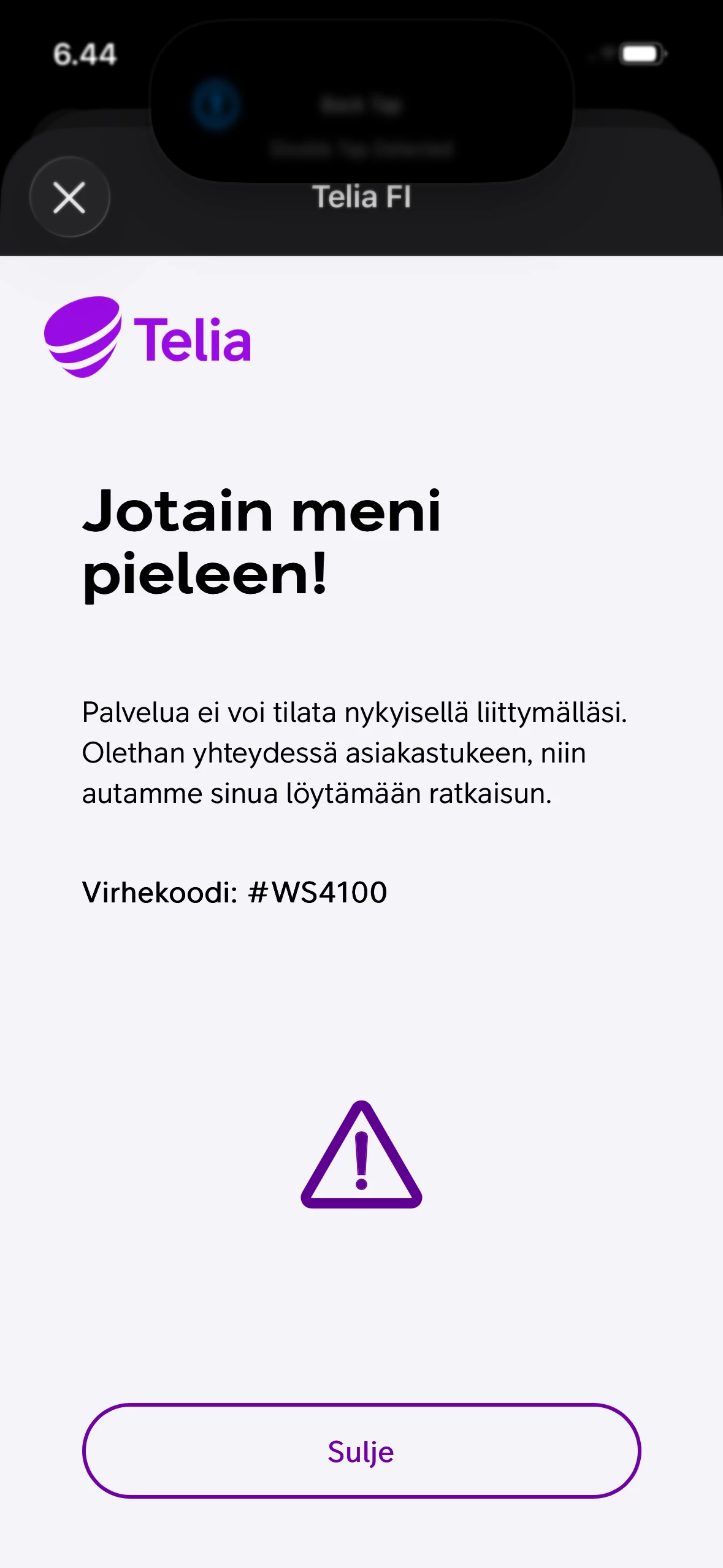
I’m still trying my best with technical support / customer care to get this working. I’m having trouble setting up mobile network service on an Apple Watch that was configured as “Set Up for a Family Member.”

I bought a new Apple Watch and a new subscription from Telia after reading the announcement about support being ready, but I’m still unable to get it activated.


SannaMKoo
Telialainen
Forum|alt.badge.img+6
  • Telialainen
  • January 21, 2026

I’m still trying my best with technical support / customer care to get this working. I’m having trouble setting up mobile network service on an Apple Watch that was configured as “Set Up for a Family Member.”

I bought a new Apple Watch and a new subscription from Telia after reading the announcement about support being ready, but I’m still unable to get it activated.


Sorry to hear that the service hasn’t been running smoothly for you ​@Mohan. Has customer support already been able to help you with this? I’ll also check on the error code you received to see what it might refer to. I’ll get back to this thread once I have an answer!


  • Savumerkittäjä
  • January 21, 2026

Sorry to hear that the service hasn’t been running smoothly for you ​@Mohan. Has customer support already been able to help you with this? I’ll also check on the error code you received to see what it might refer to. I’ll get back to this thread once I have an answer!

@SannaMKoo Made some progress with the store personnel yesterday. He made a few calls to the support team and managed to push a new eSIM to the iPhone (through the Watch app). Eventually, the watch started showing “Telia FI” under Mobile Service. However, it still doesn’t get online—the network status continues to show “No Connection.”

I’ll be visiting the store again to sort out the remaining network issue with their IT team. At least that was the promise—fingers crossed 😊

Burned enough money on Telia Helppi. I had to explain the use case myself, and no one on their side seemed to understand how it was actually implemented. The whole purchase suddenly became super expensive — and now I have no idea how to claim it back when the process at Telia is this complex.


HannaMarikaL
Telialainen
Forum|alt.badge.img+4
  • Telialainen
  • January 21, 2026

@SannaMKoo Made some progress with the store personnel yesterday. He made a few calls to the support team and managed to push a new eSIM to the iPhone (through the Watch app). Eventually, the watch started showing “Telia FI” under Mobile Service. However, it still doesn’t get online—the network status continues to show “No Connection.”

I’ll be visiting the store again to sort out the remaining network issue with their IT team. At least that was the promise—fingers crossed 😊

Burned enough money on Telia Helppi. I had to explain the use case myself, and no one on their side seemed to understand how it was actually implemented. The whole purchase suddenly became super expensive — and now I have no idea how to claim it back when the process at Telia is this complex.

Thank you for this detailed description. It really sounds like you’ve already done everything right. Since the cellular subscription has been provisioned and the watch briefly showed “Telia FI” as carrier, this does not point to a basic subscription issue. In cases like this, most common remaining cause is an Apple‑side requirement related to Apple Watch for Kids (Family Setup), even when the carrier setup itself is correct.

Apple requires these following setups for child’s Apple Watch with cellular to activate properly:

  1. The child must have their own Apple ID: Apple Watch cannot use a parent’s Apple ID. Account must be created as a child account.
  2. Family Sharing must be enabled from parent’s iPhoneFamily Sharing is mandatory for Apple Watch for Kids.
  3. The child’s Apple ID must be added to Family Sharing: Child needs to be added as a family member before the Watch is set up.
  4. Apple Watch must be set up using “Set Up for a Family Member”: During setup, Watch must be linked to the child’s Apple ID (Apple Watch for Kids / Family Setup). This step is required for Apple to provision cellular connectivity correctly.

If any of these steps are missing or if the watch was initially set up using an adult Apple ID, we recommend unpairing and erasing the Apple Watch, then completing this setup again after the child’s Apple ID and Family Sharing are fully configured.

Your Telia instructions are correct and still apply. However, these steps rely on Apple’s Family Sharing and Apple ID setup being completed exactly as required first.

If all of the above is already confirmed and the watch still remains offline, this usually points to a provisioning synchronization issue. Telia Customer Support can check and refresh the activation once Apple’s requirements are fully in place. Hopefully this helps and feel free to update us on how it goes!


  • Savumerkittäjä
  • January 22, 2026

Happy to share some good news: Telia was finally able to fix the network issue! 🎉🎊
A big thank‑you to Olli from the Telia Store in Lippulaiva, who patiently stayed on the call for almost two hours talked to different support teams.

After all that, my phone finally showed the important notification (as in Step 4) — the eSIM information needed by the Watch app. From what I understand, this notification (also called the carrier settings) has to be registered by Telia on Apple’s servers along with the device IMEI. That seems to be the key part of the setup, and it took a bit of effort to get it done properly.

Once it went through, the eSIM installed, the network came alive, and we even made test calls around the house. That was a very happy moment! 😄

I was lucky to have Olli on my side to sort things out — not everyone may get that level of support. So, a gentle request to Telia: please consider streamlining this process to make it smoother for all customers.

FYI ​@SannaMKoo ​@HannaMarikaL 


AaTanja
Moderaattori
Forum|alt.badge.img+6
  • Moderaattori
  • January 22, 2026

Happy to share some good news: Telia was finally able to fix the network issue! 🎉🎊
A big thank‑you to Olli from the Telia Store in Lippulaiva, who patiently stayed on the call for almost two hours talked to different support teams.

After all that, my phone finally showed the important notification (as in Step 4) — the eSIM information needed by the Watch app. From what I understand, this notification (also called the carrier settings) has to be registered by Telia on Apple’s servers along with the device IMEI. That seems to be the key part of the setup, and it took a bit of effort to get it done properly.

Once it went through, the eSIM installed, the network came alive, and we even made test calls around the house. That was a very happy moment! 😄

I was lucky to have Olli on my side to sort things out — not everyone may get that level of support. So, a gentle request to Telia: please consider streamlining this process to make it smoother for all customers.

FYI ​@SannaMKoo ​@HannaMarikaL 

Such a great news, and nice of you to come and let us all know how all ended well 😊I’ll pass your thanks on to Olli at our Lippulaiva store.

Also a big thank you for this valuable feedback concerning the need to improve the process to make it easier for users.